


We strive to meet your business needs in the best possible way. If you have a technical, billing, or equipment issue, we would love a second chance to make it right. This way, you can continue to use our complete suite of services: the Scoutly app to scout and TurboLister to list with FBA or MF, all for the lowest price compared to other vendors, with plans starting at $9.95 per month.
Here are step-by-step instructions on how to cancel the service.
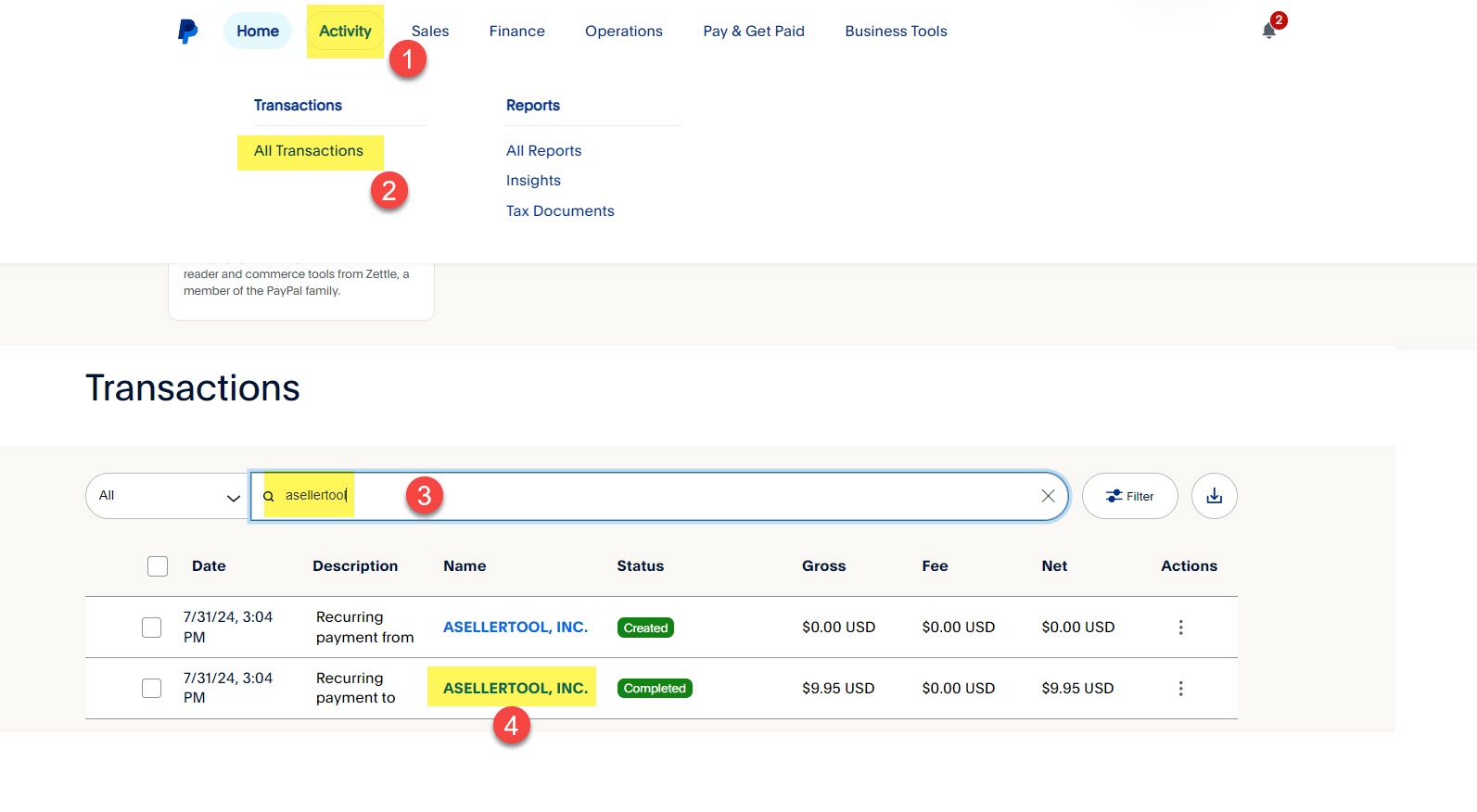
- Log in to your PayPal account and click the Activity tab.
- Click All Transactions.
- Type*asellertool* and hit the enter key
- Find the payment to ASELLERTOOL. INC and click on it
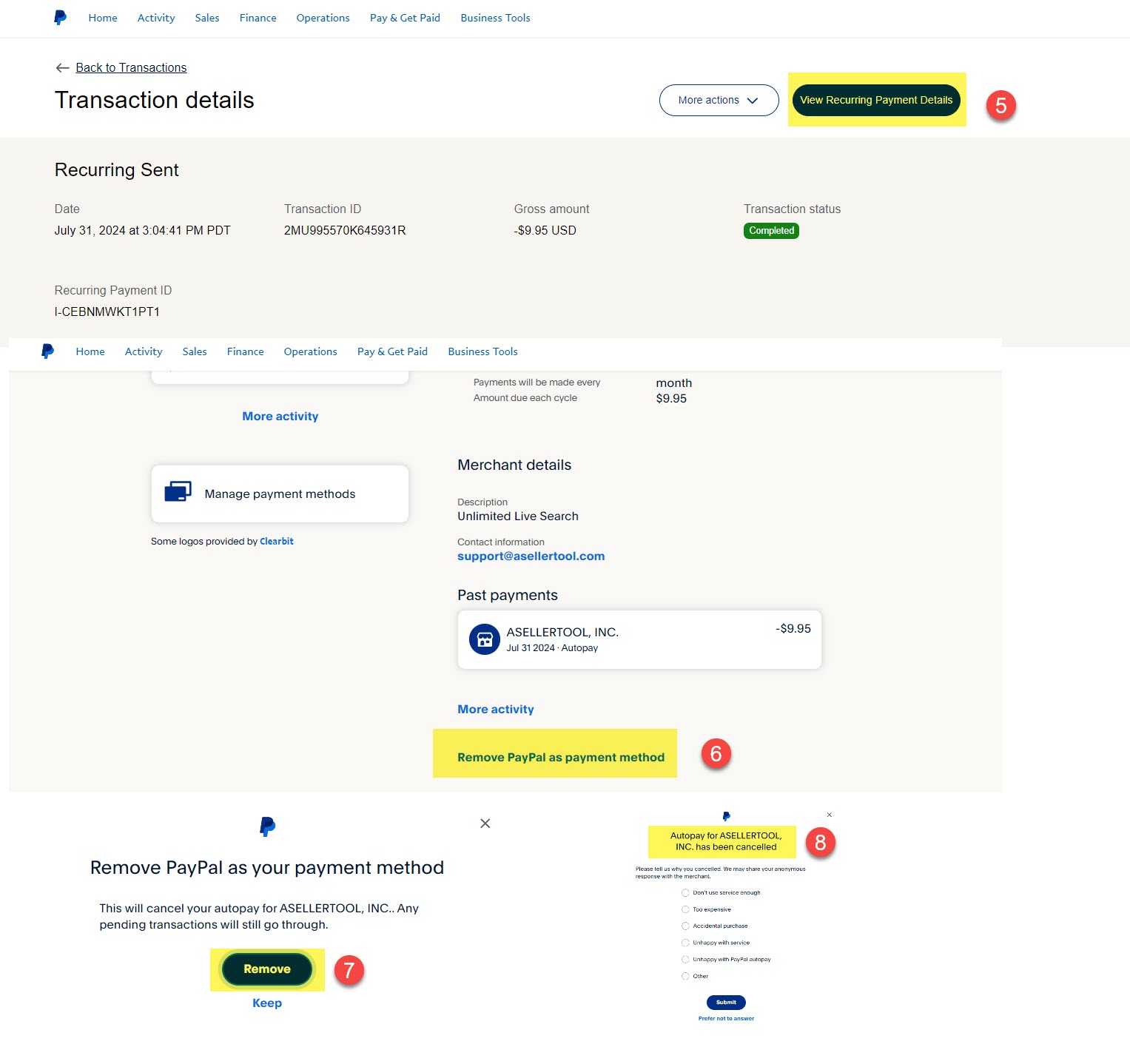
- Click View Recurring Payment Details
- Scroll down to the bottom of the page and Click Remove PayPal as payment method,
- Click the Remove button to confirm.
- You will see the cancellation confirmation.
Lastly, it would be greatly appreciated if you could send us an email with a brief written explanation for the cancellation. This will help our developers continue to improve the software and provide better service. We hope we can meet your business requirements at a much lower price compared with other vendors.
Feedback
Copyright © 2025 ASellerTool, Inc.
—
Powered by 
Post your comment on this topic.