


Based on your selling history, Amazon can restrict you from selling particular products. They are called prohibited items to your seller account. Scoutly offers two kinds of restriction notification.
1. General Restriction Warning.
2. Seller Specific Restriction Notification.
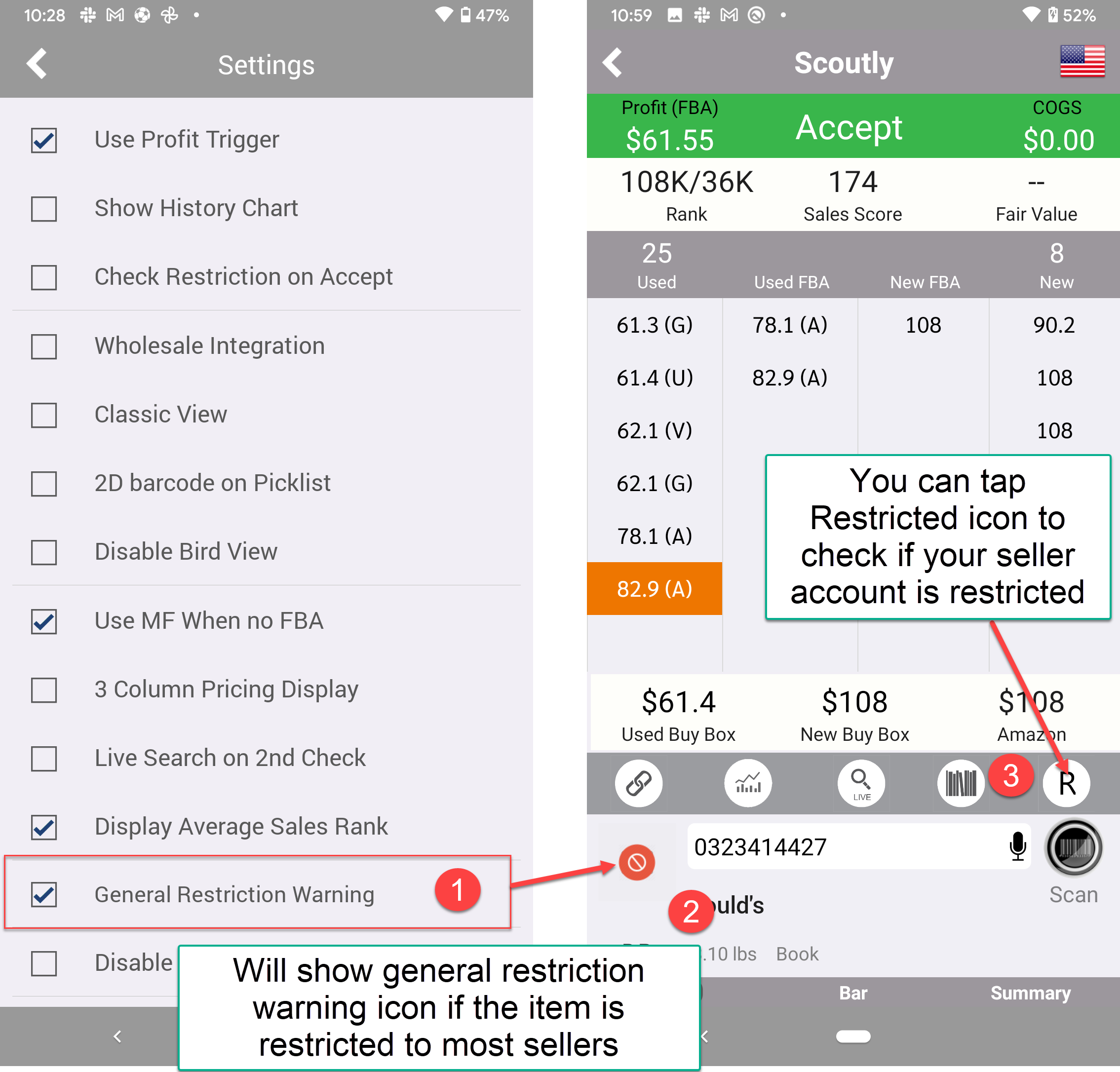
1. General Restriction Warning
- Enable General Restriction Warning option in Menu -> Settings.
- If the item is restricted from selling for most sellers, Scoutly will display a restricted warning sign in the product image.
- You can tap the Restricted icon to check (You need to sync your Amazon seller account with AsellerTool) if your seller account is restricted from selling this product.
2. Seller Specific Restriction Notification
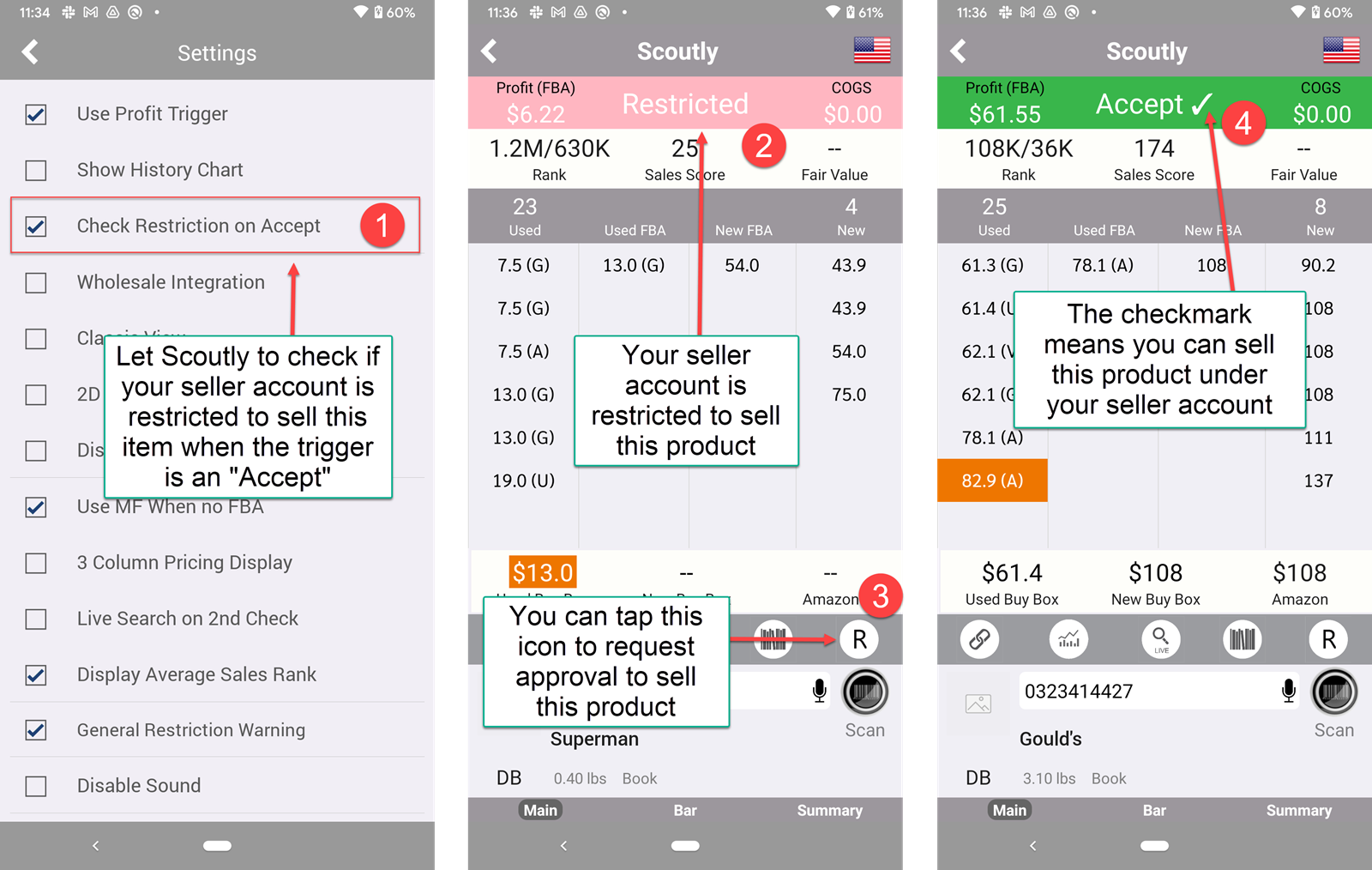
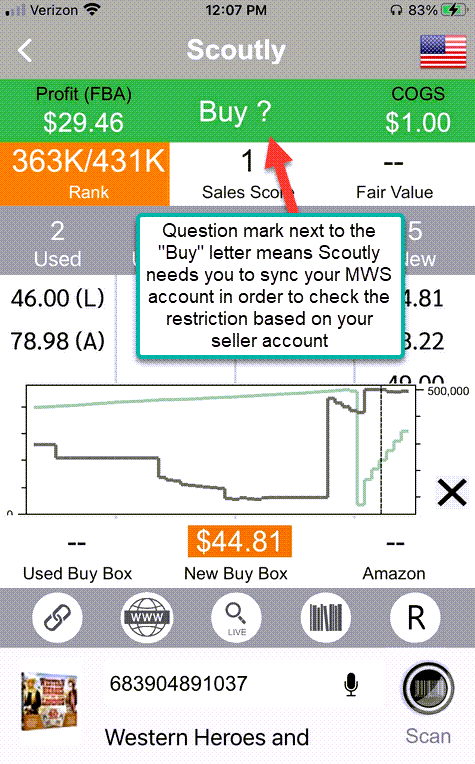
- You need to sync your Amazon seller account with ASellerTool first before Scoutly can check restrictions on your Amazon seller account. Enable Check Restriction on Accept option in Menu -> Settings. This will let Scoutly check if your seller account is restricted from selling this item when the trigger is an “Accept.”
- If your seller account is restricted to selling this product, it will display a restricted message in the Accept/Reject message area.
- You can tap the Restricted icon (“R” icon on the bottom right) to request approval to sell this product.
- If you can sell this product after checking the restriction, you will see a checkmark near the Accept message.
- If the item is Reject by the trigger, you can still check the restriction by tapping the Restricted icon (“R” icon on the bottom right)
Feedback
Copyright © 2025 ASellerTool, Inc.
—
Powered by 
Post your comment on this topic.