


FireFox
- Go to the webpage you want to save.
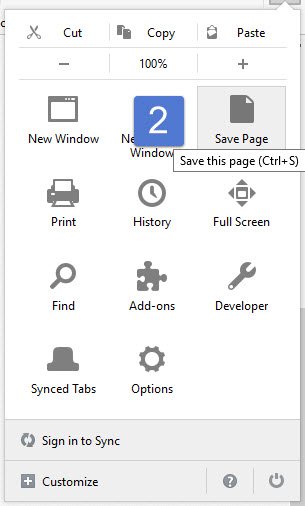
- Click Menu icon and “Save Page As”
- Pick a location and save as html file.
- Email us the html page at support@asellertool.com

Chrome
- Go to the webpage you want to save.
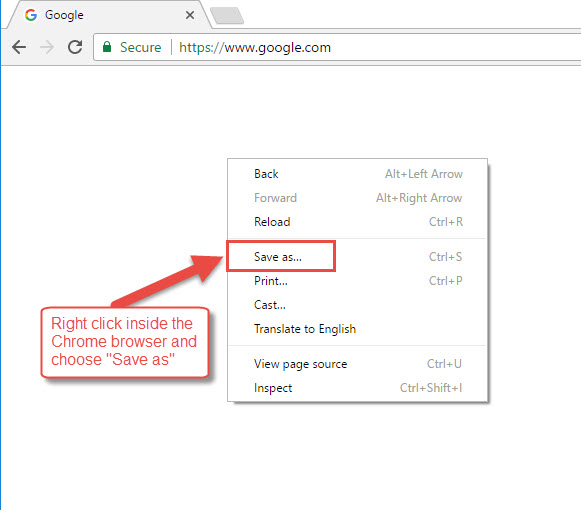
- Right-click the page and select “Save as”
- Pick a location and save as html file.
- Email us the html page at support@asellertool.com
Feedback
Copyright © 2025 ASellerTool, Inc.
—
Powered by 
Post your comment on this topic.